Example · drag to compare
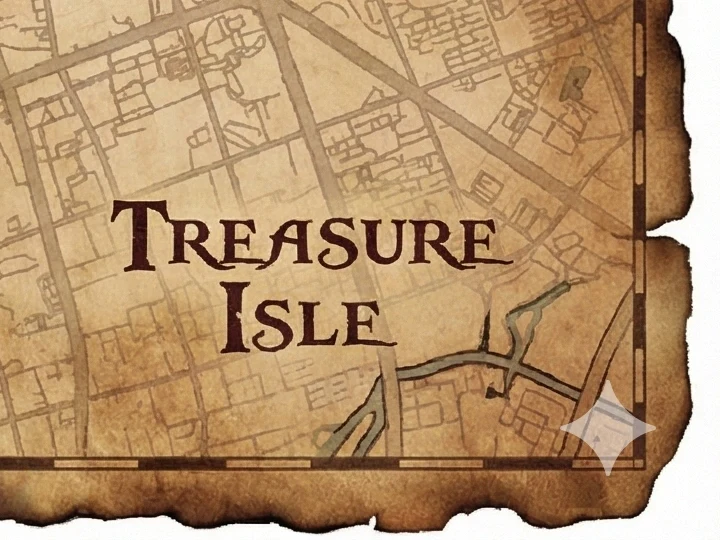
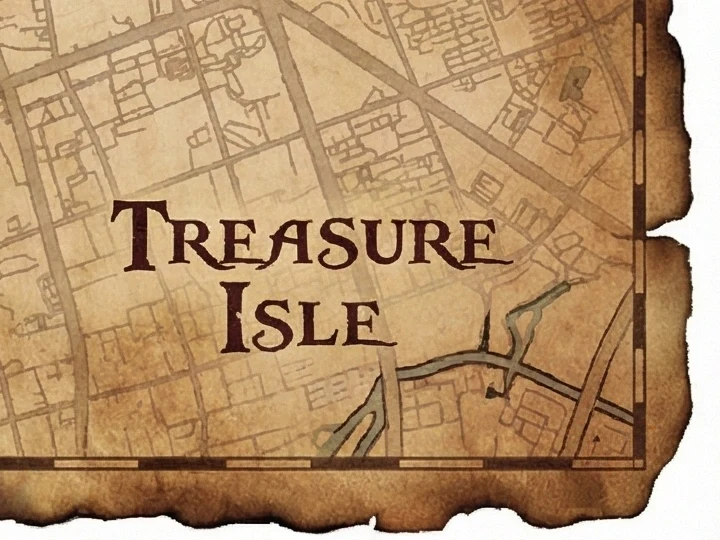
Check the mark, then the detail.
The engine detects a supported semi-transparent sparkle layout and tries to reverse its blend. It works best with an untouched download. Fine lines and gradients may still show artifacts, so check the corner comparison and saved PNG.
- Download from GeminiSave the original image from the Gemini app. Do not crop, resize or screenshot it.
- Drop it hereDrop one or many files on the preview, choose them, or paste.
- CompareEach result opens zoomed on the corner, so you can check the logo is gone.
- DownloadSave each successful result as PNG, or use Download all.
Visible logo only: SynthID is an invisible watermark. This tool does not target or verify it, and a clean corner does not establish that a file lacks AI provenance. The tool uses the open-source gemini-watermark-remover engine (MIT license).
Creating a new image?
Check Google's Media Watermark setting first. For files already downloaded, our step-by-step Gemini watermark guide covers the local workflow, quality checks and common problems.
Good to know.
Is this Gemini watermark remover free?
Yes. There is no sign-up, site-imposed daily limit or added watermark. Processing runs in your browser; large files and batches are limited by your device memory.
Are my images uploaded?
No. Image processing and PNG export run on your device in the browser. Your selected images are not sent to our server.
Does it work on Nano Banana images?
It targets the visible sparkle on supported Gemini and Nano Banana image layouts. Not every image carries that logo, and detection is not guaranteed for every model version or future update. Try an untouched download and inspect the comparison.
Does it remove SynthID?
No. The tool targets the visible sparkle, not Google's invisible SynthID watermark. It does not verify SynthID or guarantee any detector result. A missing visible logo is not evidence that an image was made without AI.
Why is the result not perfect on some images?
The engine tries to reverse a supported logo's blend. Resizing, cropping, screenshots, recompression, detection errors and rounding can leave artifacts. Start with the original download and compare fine detail near the logo. PNG export avoids another lossy encoding step; it does not guarantee exact recovery of the pixels before the logo was added.
What happens if my image has no Gemini watermark?
The tool checks for the sparkle first. If it cannot confirm one, it leaves your image unchanged and tells you, instead of altering pixels that do not need fixing.
Can I turn off the visible watermark in Gemini instead?
Google now documents a Media Watermark setting for newly created content in Gemini Apps. Availability depends on your location and plan. It does not disable SynthID or Content Credentials. See the linked guide for the current official instructions.
What should I check before sharing the result?
Keep the source file, inspect the saved PNG, and use images you have permission to edit. Removing the visible logo does not change the fact that the image was AI-generated or establish permission to use it.
More free tools.

Picture to Pixel Art
Turn a picture or photo into pixel art, with a true-size sprite export.
Free · 6 retro palettes
Pixelate Photo
Apply a mosaic to a whole image or a selected rectangle.
Free · Whole photo or area
ICO Converter
Convert an image into a multi-size .ico file, from 16 to 256 px.
Free · PNG · JPG · SVG
Resize Image to 20KB
Get a photo under a file-size limit for an online form.
Free · 10 to 200 KB presets