Example icon sizes
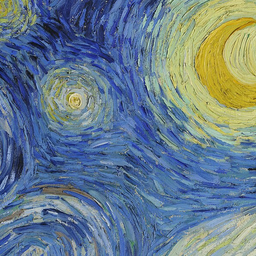 256px
256px 48px
48px 32px
32px 16px
16pxOne ICO, several sizes.
An ICO is a container for square icon images. Including several sizes gives the receiving app a choice instead of asking it to shrink one large image.
- Choose your sourceUse a square image with a simple silhouette. PNG works well for transparent artwork, JPG for photos, and SVG for vector shapes.
- Choose the sizesSelect 16 to 256 px. Use Fit to keep the whole image with transparent padding, or Crop to fill the square from the center.
- Check and downloadLook at the small previews for disappearing text or thin lines, then download one .ico containing your selected sizes.
Using your ICO file
For a website, save the download as favicon.ico, put it in your public site folder and reference it from the page head. Your browser or hosting setup may cache the old icon, so check the deployed file directly after replacing it.
<link rel="icon" href="/favicon.ico" sizes="any">For a desktop shortcut or application, follow that program's icon requirements. This converter stores PNG images inside the ICO; an application expecting legacy bitmap entries may not accept that encoding.
Good to know.
What does this ICO converter accept?
It accepts PNG, JPG and self-contained SVG images. The format-specific converters below use the same ICO encoder, with the upload type already selected for you.
What is inside the downloaded ICO file?
The ICO contains a separate PNG image for each size you select, from 16 to 256 pixels. PNG transparency is preserved. Software that only supports older bitmap-based ICO files may need a different ICO encoding.
Does renaming an image to .ico convert it?
No. Renaming changes the file name, not its contents. This tool writes an ICO header, a directory of sizes and the image data for each size.
Which icon sizes should I choose?
Start with 16, 32 and 48 pixels for small icons, and add 256 for larger displays. Check the requirements of the application or website where you will use the file. Preview small sizes because fine detail may disappear.
Are my images uploaded?
No. Reading the source image, resizing and creating the ICO all happen in your browser. No account is required.
More free tools.
Picture to Pixel Art
Turn a picture or photo into pixel art, with a true-size sprite export.
Free · 6 retro palettes
Pixelate Photo
Apply a mosaic to a whole image or a selected rectangle.
Free · Whole photo or area
Resize Image to 20KB
Get a photo under a file-size limit for an online form.
Free · 10 to 200 KB presets
Image Compressor
Shrink JPG, PNG and WebP files with a quality slider.
Free · Quality control