Example icon sizes
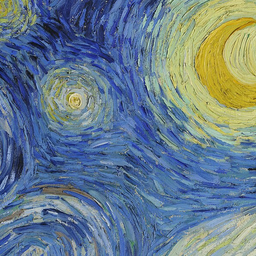 256px
256px 48px
48px 32px
32px 16px
16pxFrame the subject first.
A photo can work as a shortcut or personal icon when its subject is easy to recognize at a small size. Upload a JPG or JPEG, choose the sizes to include and inspect the previews. A face or a single object usually survives a 16 px reduction better than a wide scene with many details.
Choose between a full photo and a filled square
The default Fit option keeps the full photo and adds transparent padding when its aspect ratio is not square. Crop enlarges it to fill the square and trims the longer side from the center. If the subject is near an edge, prepare a centered square crop before uploading.
Understand the background
JPEG has no alpha channel. Converting a JPG to ICO preserves its photographed or painted background; it does not cut out the subject. Only the padding created by Fit is transparent. If you already have an image with its background removed, use the PNG to ICO converter to preserve that transparency.
The ICO stores a PNG copy at every chosen size. This avoids another JPG compression step during export, but it cannot undo artifacts in the source. For vector artwork try SVG to ICO, or return to the ICO converter to select any supported format.
Good to know.
Can I convert JPEG as well as JPG?
Yes. JPG and JPEG are file extensions for the same image format. Both are accepted on this page and converted to an ICO containing the sizes you select.
Can a JPG icon have a transparent background?
JPG does not contain transparent pixels, so its existing background stays in the picture. Fit can add transparent padding around a non-square JPG, but it does not remove the background inside the photo.
Why is part of my photo cut off?
Crop to square fills the icon and trims the longer dimension from the center. Choose Fit to include the whole photo, or crop the original so the important subject is centered first.
Does converting JPG to ICO remove compression artifacts?
No. Existing JPG artifacts remain. Use the best original image you have and inspect the small icon previews before downloading.
More free tools.
Picture to Pixel Art
Turn a picture or photo into pixel art, with a true-size sprite export.
Free · 6 retro palettes
Pixelate Photo
Apply a mosaic to a whole image or a selected rectangle.
Free · Whole photo or area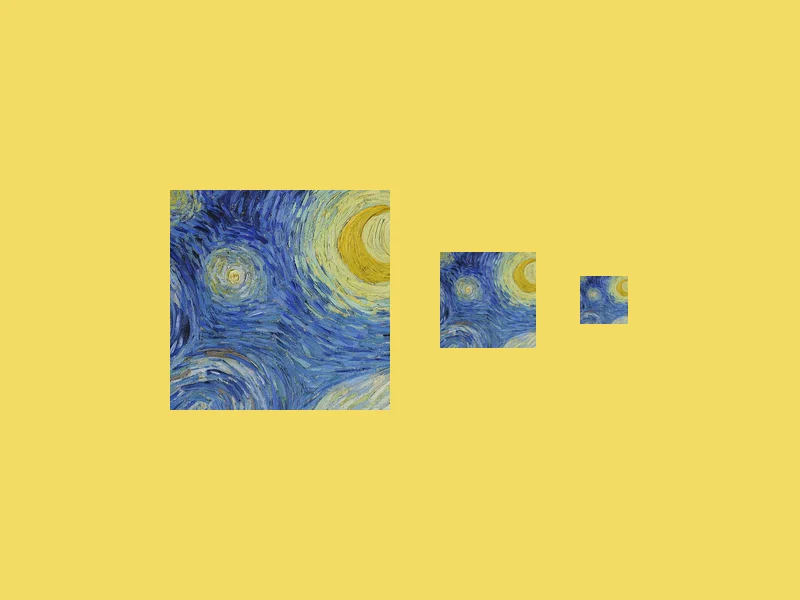
ICO Converter
Convert an image into a multi-size .ico file, from 16 to 256 px.
Free · PNG · JPG · SVG
Resize Image to 20KB
Get a photo under a file-size limit for an online form.
Free · 10 to 200 KB presets